General Configuration
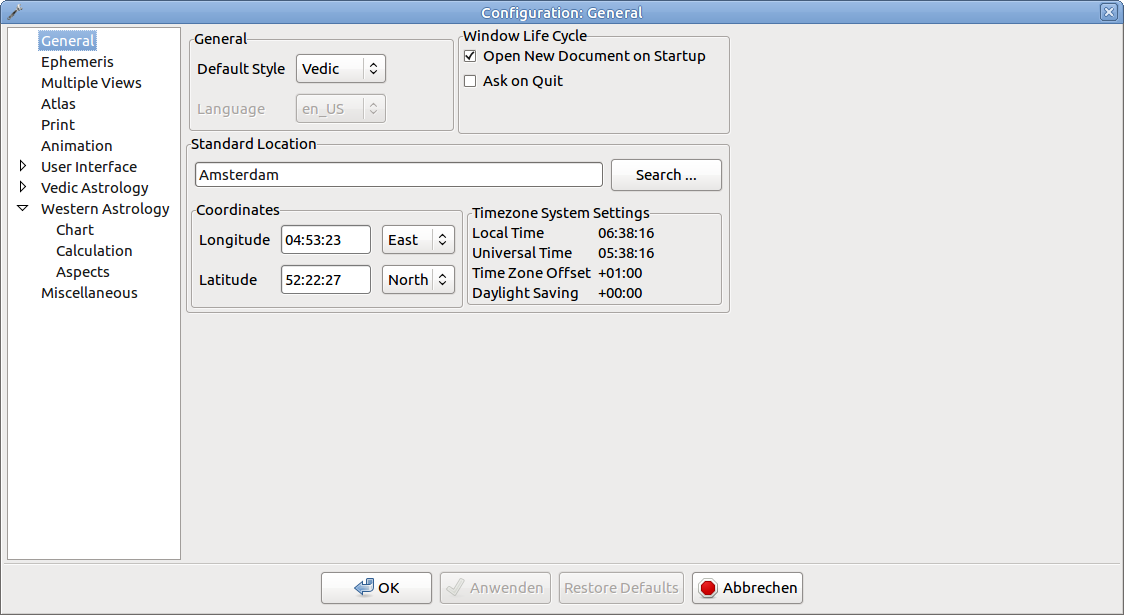
Default Style
Default Style - whether new horoscopes will have Vedic or western style as standard.
Many views have the option to change the type later.
Shortcuts
Keyboard
- V: change to Vedic mode
- W: change to western mode
Mouse actions- Right click into the view, open context menu and chose Vedic Mode or Western Mode
Language
This option is only active under Windows. On other platforms the chosen language will be shown in the disabled choice box. More informations about language setup can be found on the Translation page.
Window Life Cycle
- Open new document on startup - a new document (with current date, default location) will be opened on application startup if this option is checked.
- Ask on quit. You will be asked before the application is closed if this option is checked.
Standard Location
The standard location will be used for all new charts, for the Hora window, Ephemeris, Transit window and the status bar info.
You can open the atlas dialog if you click the button Search Location. Alternatively you can enter the first letters of a location name and type Enter.
Time zone and daylight savings values are shown on the right side. These values are read only and taken from the system configuration.
Ephemeris
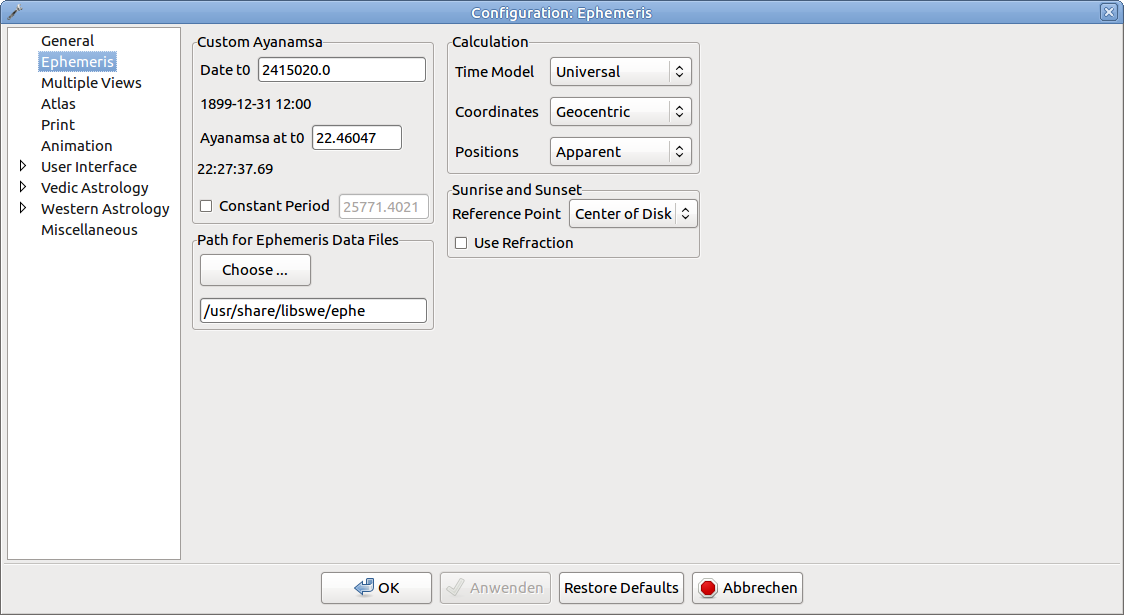
Custom Ayanamsa
See the Ayanamsa section.
A instruction for installation of the data files can be found in the section on Ephemeris Data Files.
Calculation Options
Calculation options are described in detail at the Calculation Options section.
Dangerous
Calculation options are sensitive parameters! You should not change them if you are not sure what you do!
Sunrise and Sunset
These options take effect for special Lagnas, Kala Velas and Hora calculation. The difference between the option will be about several minutes of time.
Reference Point
Whether the center or the border of the disk shall be in the horizon at sunrise/sunset time.
Use Refraction
Refraction is an optical phenomenon that is based upon the curvature of the sunlight in the atmosphere. Refraction will be taken into account if you check this option (apparent position).
Multiple Views
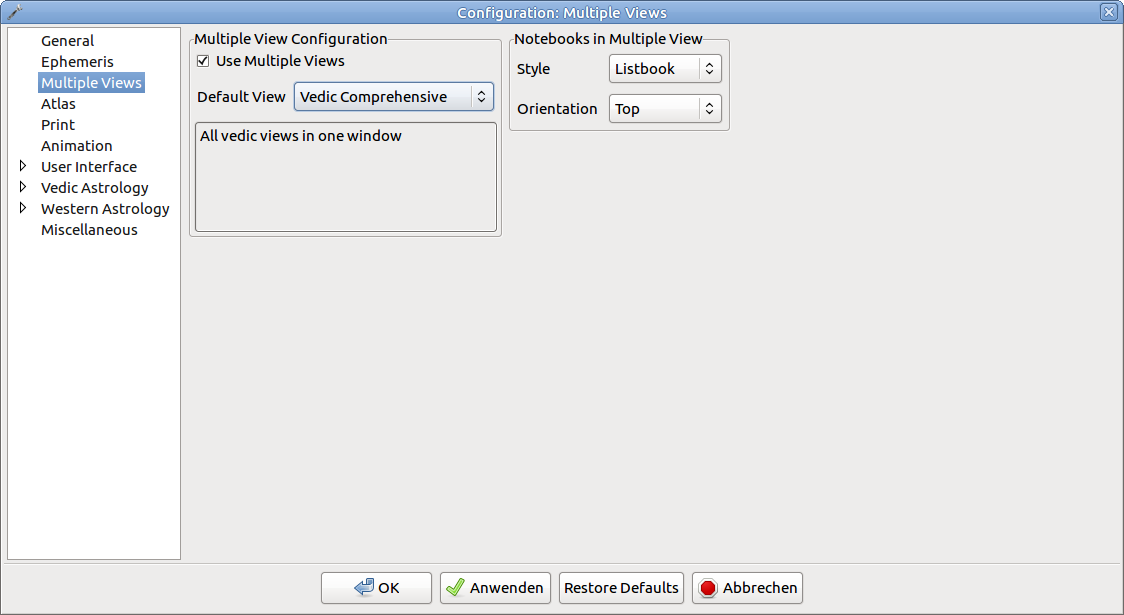
Default View Type
This choice box determines if new chart are opend in single or multiple view mode.
Multiple View Selection
There are several multiple view types for Vedic resp. western astrologers. Each type has a short description in the text box below.
Notebooks in Multiple Views
The notebook type and orientation can be changed with this option. Changes only apply if a new window is opened.
Atlas
The atlas dialog is described on the Atlas Dialog page.
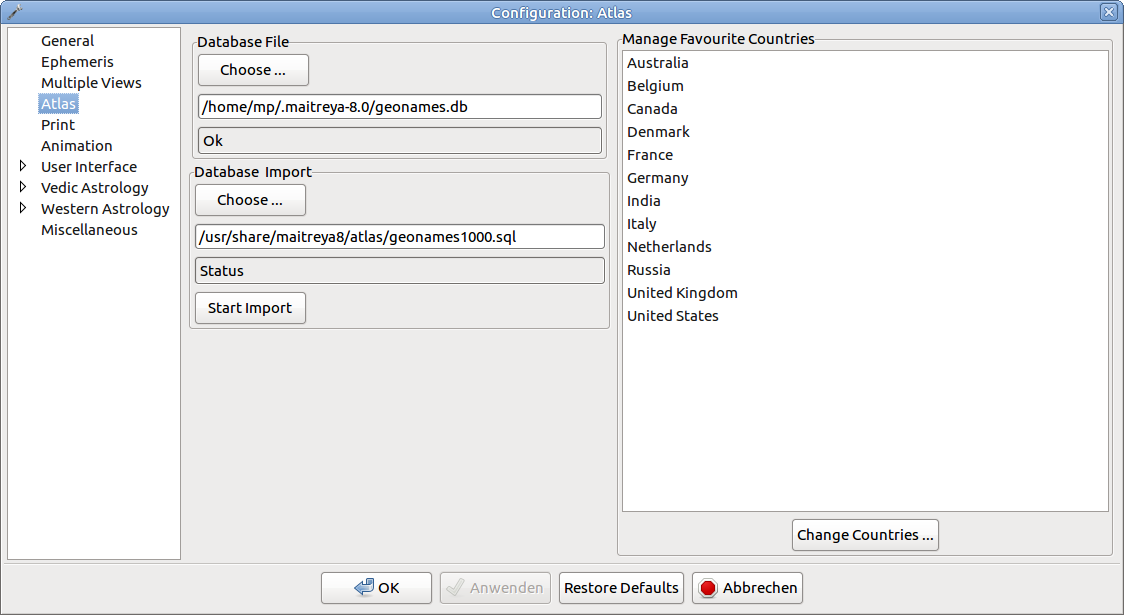
Atlas Database File
The atlas data is stored in a SQLite 3 database, see the Atlas Database page.
The panel below the input field shows if the selected file is valid.
Atlas Import
The atlas database can be imported from a SQL file.
The default import file is located in the directory "atlas/geonames1000.sql". It contains an extract of the geonames.org atlas DB (worldwide cities with more than 1000 inhabitants).
Supported import formats are
- SQLite 3 dumps in plain SQL format
- Zipped SQLite 3 dumps
The import can be canceled while running. The database will quite likely be invalid then. Backups are stored according to the configuration in the Miscellaneous tab (no backup/single backup/infinite backups).
Country List
The atlas database stores about 250 worldwide countries. The country list in the Atlas Dialog has only a selection of favourite countries.
The button "change countries" opens a dialog for the configuration of favourite countries.
This feature works only if a valid database file is selected.
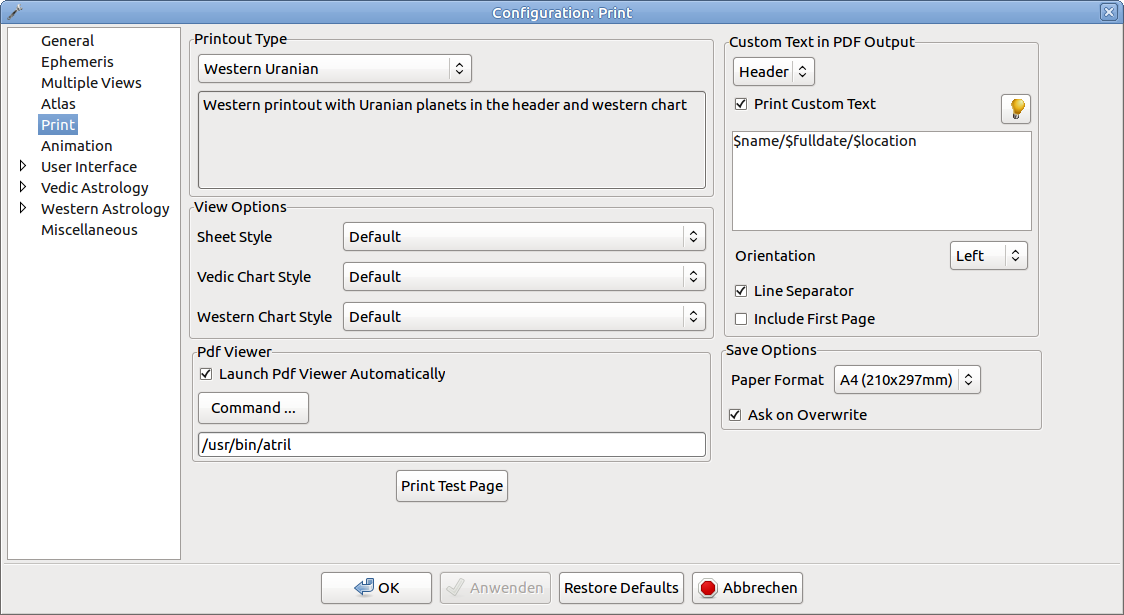
Printout
Out Of Date
You can find the description of the print feature on the Printing Charts page.
Default Printout
One of the pre-configured printouts can be selected. The panel below shows a short description of the printout.
Options for Printout
Chart style - choose the desired chart style (graphical charts in Vedic/western mode) for printout.
Paper format - choose the desired paper format for the PDF output.
Ask on owerwrite - whether a dialog prompt will be shown before existing PDF files are overwritten.
Footer in PDF Output
You can configure if a custom footer will be printed in the PDF output.
This option can be used to print additional information (like name of astrologer) in the PDF documents. The footer will be printed at the bottom of the first page.
You can use pre-defined variables to print additional information on the fly
- %version - the version of the program will be shown.
- %date- the date of printout creation will be shown.
Launching the Pdf Viewer
You can configure if you want to launch a Pdf viewer after creation of Pdf printouts. The startup of the viewer depends on your operating system.
- Windows Systems - the default viewer of the operating system (e.g. Acrobat Reader) will be started.
- Linux/4.4 BSD - some standard viewers (like xpdf or kghostview) will be searched along the path. The viewer can be configured in the command text field.
- Mac OS X: PDF will be opened with the built-in preview
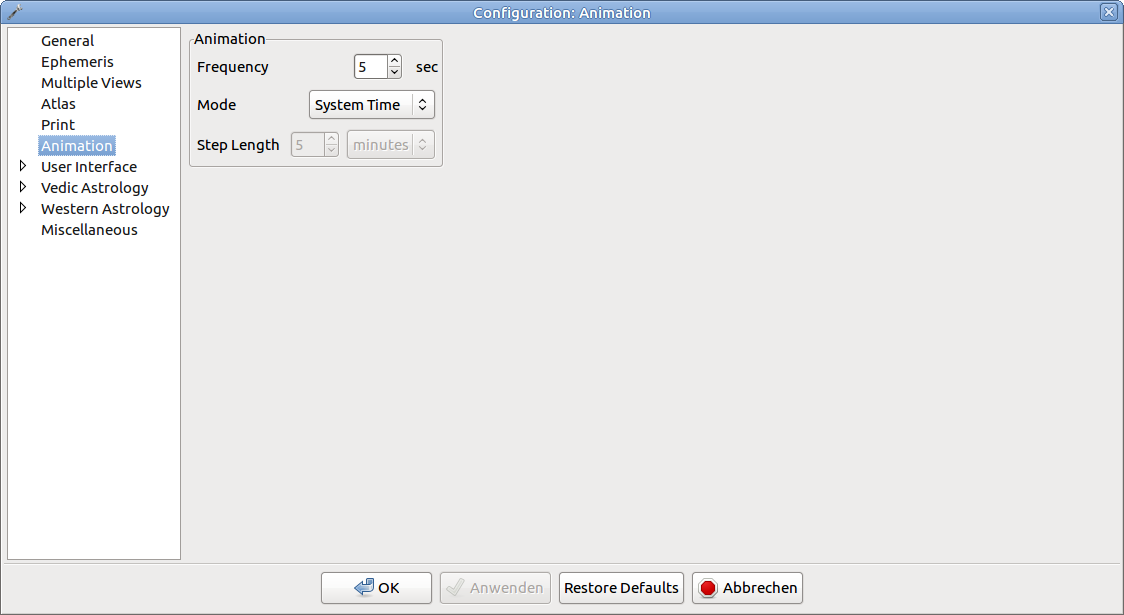
Animation
These options influence the step intervals and step widths for animated charts.
Shortcuts
Keyboard
- Shift+Ctrl+A: toggle animation
Mouse actions- Right click into the view, open context menu and chose Animate Chart
Mode
The following options are available
- System Time - means that on every update the chart will set to the actual system time.
- Custom Steps - a fixed value will be added to the base time. This value can be configured in the control below.
Frequency
The animation frequency determines the update interval, e.g. a value of 5 sec. means that every 5 seconds the chart and its dependent windows will be updated.
Step Length
The step length (only available for custom steps) determines the value that is added on each update. You can choose a number and a multiplicator like seconds, days, etc.
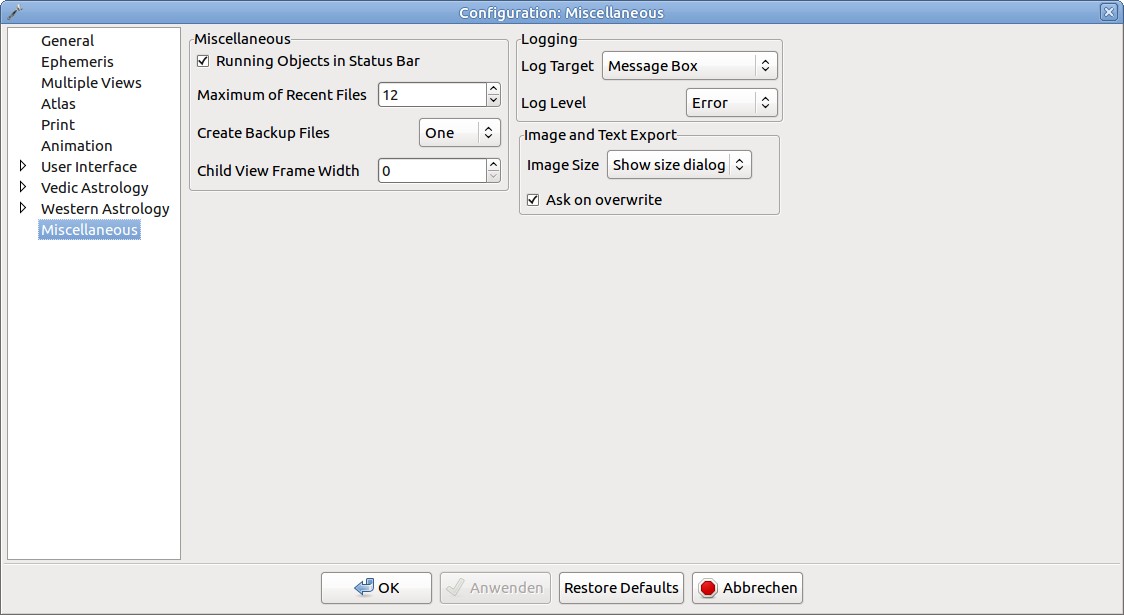
Miscellaneous
This tab contains general options that influence the general behaviour of the application.
Miscellaneous
- Running Objects in Status Bar - whether the actual positions of Ascendant and Moon will be displayed in the status bar.
- Maximum of Recent Files - maximum number of entries in the File->Recent menu.
Backups of Location DB
Configure if you want the program to create backups of the location database. Options are
- Never - no backups will be made.
- One - only one backup (named locations.bak) will be made.
- Infinite - a backup will be made each time you save the database, the backup will be named locations.YYYYDDMMHHMMSS